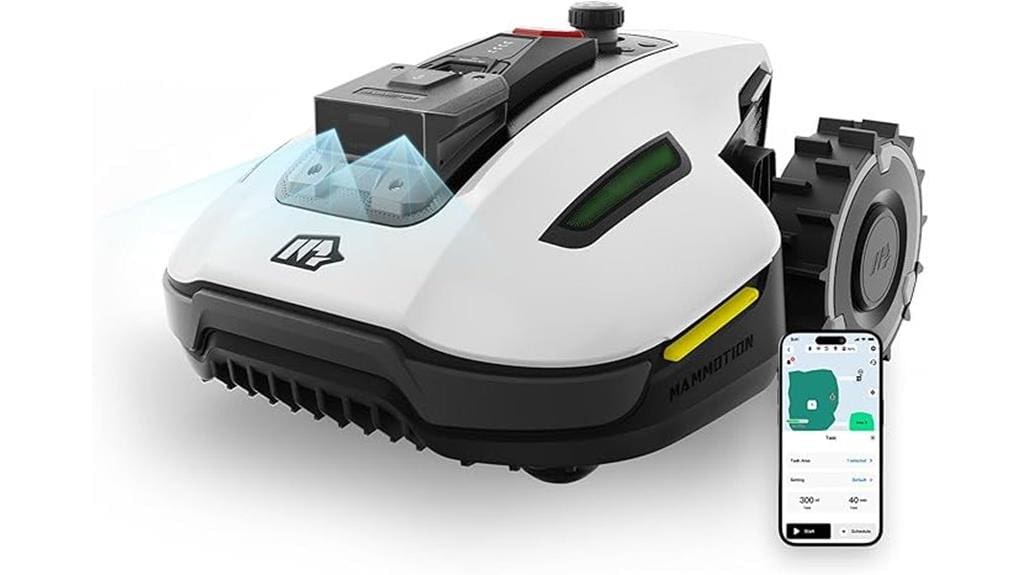
If you want near‑hands‑off care for a 0.25‑acre yard, the Mammotion YUKA Mini 500H maps your lawn in about 10 minutes, then uses RTK positioning plus Ultrasense AI Vision to follow invisible borders and avoid small obstacles. It delivers a carpet‑like cut at 50–90 mm, handles slopes up to 50%, and offers layered safety and anti‑theft features. Setup and daily use are quick; keep going and you’ll find setup tips, limits, and who it’s best for.
Some Key Takeaways
- Auto-maps a 0.25-acre yard in about 10 minutes using Ultrasense AI Vision and RTK for fast setup and editable maps.
- RTK plus vision provides centimeter-level positioning and better boundary accuracy than GPS-only systems.
- Handles slopes up to 50%, multi-zone layouts, and selectable mowing paths for efficient, low-overlap coverage.
- Real-time AI vision recognizes 200+ object types, avoids obstacles down to 1.4 inches, and includes layered safety features.
- Quiet, low-maintenance design with anti-theft GPS tracking, app controls, and automatic return-to-charge for near-hands-off use.
Performance Overview: How the YUKA Mini 500H Mows Small Yards
When you set the YUKA Mini 500H loose on a small yard, it maps, navigates and mows with clear, consistent results: the RTK + Ultrasense AI Vision system builds an accurate virtual map in about 10 minutes, the floating single cutting disc delivers a carpet-like finish at 50–90 mm, and smart route planning plus selectable mowing paths guarantee efficient coverage of up to 0.25 acre while handling slopes to 50% and multi-zone layouts. You’ll appreciate fast passes that cut time and reduce overlap, plus quiet operation that keeps neighbors happy. It’s predictable, low-maintenance, and integrates into your yard routine seamlessly. Designed for the typical homeowner, it pairs well with other push mower equipment and accessories.
Navigation & Accuracy: Ultrasense AI Vision, RTK Mapping, and Boundary Handling
Because the YUKA Mini 500H combines Ultrasense AI Vision with RTK positioning, you’ll get mapping and boundary accuracy that’s far more reliable than GPS-only mowers. You’ll see auto mapping complete in about 10 minutes, producing an editable virtual map in the Mammotion app. RTK calibration is straightforward via the included reference station, so your mower keeps centimeter-level positioning without satellite reliance. Vision robustness distinguishes grass from non-grass and senses invisible borders, letting you create multi-zone work areas and no-go lines. You’ll trust consistent boundary following and precise routes, making yard care predictable, shared, and confidently precise. The YUKA Mini 500H integrates well with common home lawn care routines and accessories, including tank sprayers for spot treatments and seasonal maintenance.
Safety, Obstacle Avoidance, and Anti‑Theft Features
While you’re away, the YUKA Mini 500H actively watches and adapts: UltraSense AI Vision plus RTK gives real‑time object recognition (200+ categories) and centimeter positioning so the mower detects and avoids obstacles, senses vertical objects down to 1.4 inches, and follows precise boundaries without stray cuts. You’ll appreciate layered safety: blade shutoff on collision, lift/tip sensors, IPX6 sealing and explicit child safety modes you can lock via the app. Anti‑theft includes GPS tracking, 24/7 monitoring, push alerts and ownership authentication. Granular privacy controls let you manage map sharing and data access with neighbors or service teams. For homeowners using powered equipment regularly, consider respirator protection for dust and pollen respirator tips.
Setup, Daily Use, and Maintenance for a 0.25‑Acre Yard
Typically, you’ll have the YUKA Mini 500H fully configured and mowing a 0.25‑acre yard in under 30 minutes after unpacking. You’ll follow installation tips: place the RTK station for line‑of‑sight, set the charging dock on level ground, and run the app’s auto‑mapping to create zones and no‑go areas. Daily use is simple — check battery level, remove debris, and monitor via the app; the mower returns to charge automatically. For maintenance, swap blades regularly, clean sensors, and store indoors in winter. Seasonal care includes checking waterproof seals, testing anti‑theft settings, and scheduling blade refreshes. For typical homeowners, choosing the right riding mower size and features helps maintain your lawn efficiently, especially when considering yard size and regular maintenance.
Is It Worth Buying? Pros, Cons, and Ideal Buyer Profiles
If you want a lightweight, high‑precision robot mower for a small yard, the Mammotion YUKA Mini 500H delivers strong value: it auto‑maps in minutes, uses RTK/AI vision to follow invisible borders and avoid obstacles, handles slopes up to 50%, and resumes mowing after self‑charging—making it ideal for busy homeowners who want near‑hands‑off lawn care for up to 0.25 acre. You'll appreciate pros: fast setup, accurate boundary following, multi‑zone control, anti‑theft tracking, and easy maintenance. Cons: limited area capacity, initial price vs basic mowers in a budget comparison, and small obstacle limits. Best if you value convenience, tech, and neighborhood compatibility. It’s a great fit for homeowners who prefer robotic mowers and regular, low-effort yard maintenance.
Some Questions Answered
Does It Support Voice Assistants Like Alexa or Google Assistant?
No — it doesn’t natively support Alexa or Google Assistant voice control, but it does offer smart integration through the Mammotion app. You’ll use the app for setup, mapping, voice control via platform workarounds, and notifications. You’ll appreciate multi-zone management, remote monitoring, and sharing access with household members so everyone feels included. If native voice assistant support matters, you can ask Mammotion about upcoming integrations or API options.
Can I Schedule Different Mowing Heights for Different Zones?
Yes — you can. You’ll use schedule programming and zone presets in the app to assign different cutting heights to each zone, then set recurring times for each preset. You’ll create up to 15 work zones, pick a zone preset with its height, and schedule when it runs. You’ll feel supported and in control as the mower follows your custom plans, automatically docking and resuming as needed.
Are Replacement Blades Included and Where to Buy Extras?
Yes — replacement blades are included (6 pcs). You can buy extras through local retailers or online spares outlets; check Mammotion’s official store for guaranteed blade compatibility. When shopping, confirm model fit and part numbers in the app or manual so blades match the floating cutting disc. You’ll find community forums and customer support helpful if you want recommendations or bulk options, and you’ll feel supported choosing the right spares.
What Is the Battery Runtime and Recharge Time Under Normal Use?
You’ll get a runtime estimate of about 60–90 minutes per charge and a recharge duration around 60–90 minutes under normal use. The battery lifespan depends on charge cycles and care; expect 2–4 years with regular use and proper storage, roughly 300–800 charge cycles before noticeable capacity loss. You’ll want to follow charging habits in the manual to maximize longevity and keep replacement options handy through Mammotion support.
Does It Work on Artificial Turf or Hybrid Grass Surfaces?
Yes — it works on artificial turf and hybrid grass, but you'll want to test first. You'll get good turf compatibility for light synthetic lawns and mixed fibers; the single floating disc and surface traction handle most short piles. Avoid very loose or high-pile turf and check for seams. You’ll appreciate easy adjustments in the app and the community’s tips on traction mats and trimming edges to keep performance reliable and inclusive.